
HONOR 600: Do Your Everyday Photos Need the Pro?
Miles Telecom ·
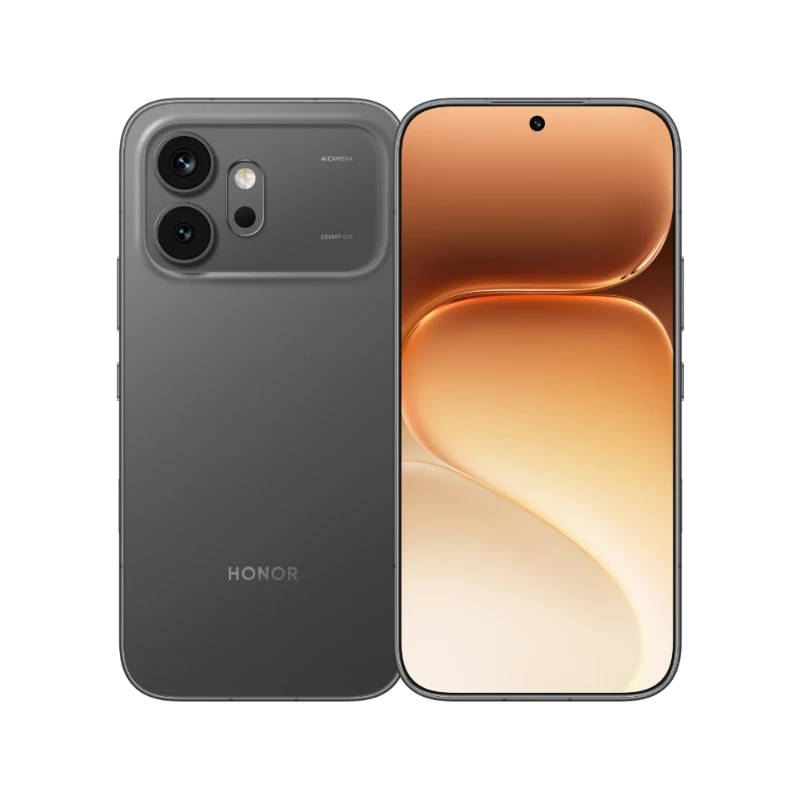
Eyeing the HONOR 600 in Dubai? Start by thinking about how you actually use your device every day. Before you pick one, check the exact version and storage tier carefully. We've kept this guide simple and practical, focusing on clear comparisons rather than a long list of marketing claims.
Who it’s for
This guide is for people comparing everyday use with a more ambitious camera setup. The regular 600 is worth comparing with the Pro on the things you actually use. Look at storage, camera options and processor details rather than assuming the longer name is automatically the better fit.
Key specs
- Display: 6.57-inch AMOLED, 120Hz Refresh Rate.
- Processor: Snapdragon 7 Gen 4.
- Rear Camera: 200MP + 12MP.
- Battery: listed as 7000mAh.
- Charging: 80W Fast Charging.
These details come straight from the current catalogue listing. Remember, a battery capacity number isn't a promise of exact runtime. Things like your display settings, favourite apps, and daily usage determine how often you need to recharge.
Versions available
The current models listed below are marked as UAE Version (TDRA). Before placing an order, review the full product title, RAM, storage, and colour together. Similar model names can be deceiving, so make sure you have the exact match.
Today’s prices
- 256GB / 8GB RAM — Black: AED 1,560
- 256GB / 8GB RAM — Golden White: AED 1,520
- 256GB / 8GB RAM — Orange: AED 1,560
- 256GB / 12GB RAM — Black: AED 1,790
- 256GB / 12GB RAM — Golden White: AED 1,790
- 256GB / 12GB RAM — Orange: AED 1,790
You can also check out the HONOR 600 collection to compare all the listed options in one place.
Which storage or model should you pick?
Open your current phone's storage settings before you decide. See how much room your photos, videos, and apps take up right now. If you often delete files just to free up space, factor that into your choice. Also, remember that RAM and storage are different things—extra RAM won't give you more room for your photo gallery.
Before you switch, make a quick list of your essential apps, including work tools, banking, and messaging. Verify the exact version of the phone to ensure your usual setup will suit it. Leave colour for last—lock in your storage and must-have features first.
Our simple advice
Choose a phone for your actual routine, not just the highest number on a spec sheet. Think about display comfort, practical storage, and the camera tools you will genuinely use. If you're on the fence, send Miles Telecom a message on WhatsApp with your priorities and the exact model name. We can help you compare the listed options before you decide.