
Motorola Edge 70 Fusion: Regional Details Make a Difference
Miles Telecom ·
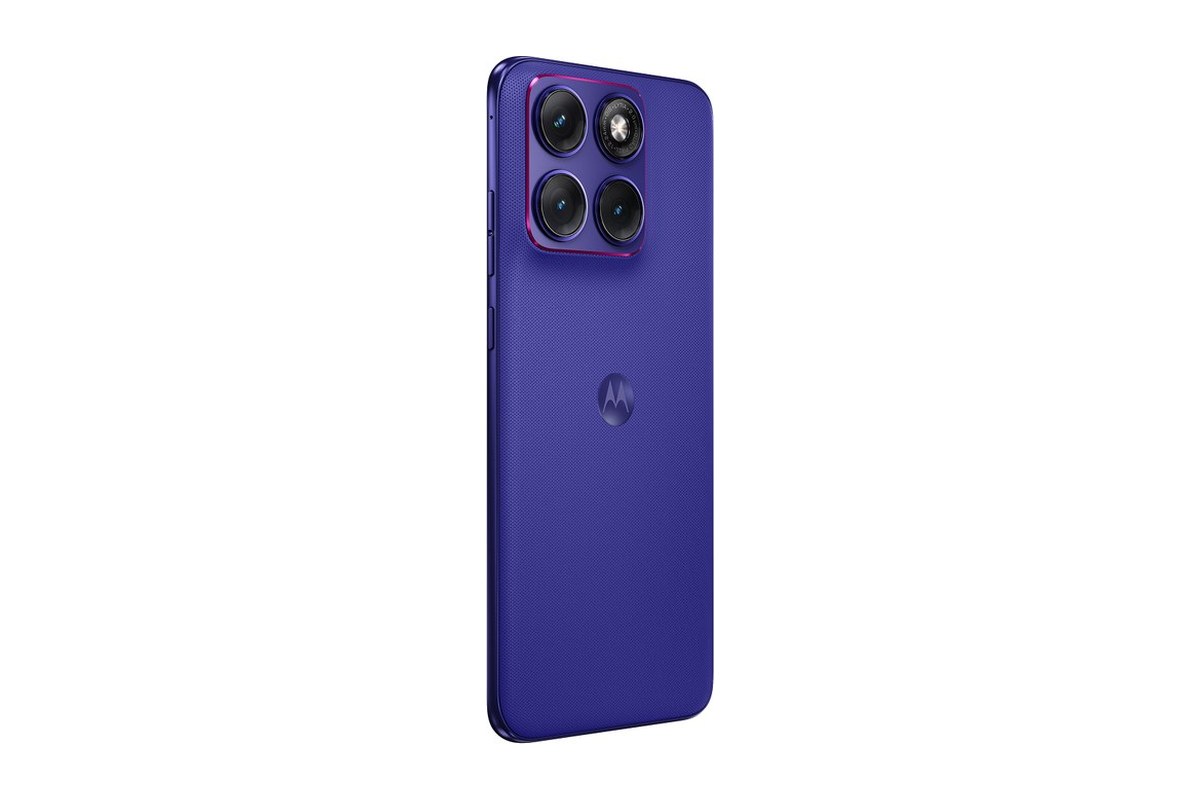
Considering the Motorola Edge 70 Fusion in Dubai? Start with how you use your phone, not just the model name. This guide looks at the choices that matter before you commit to a new device.
Who it’s for
This is a everyday Android phone worth considering if you want a large AMOLED screen. Make a short list of your daily priorities: clear calls, comfortable typing, photographs, navigation or entertainment. That list is more useful than a long page of impressive numbers.
Regional specifications differ, so ask for the exact model code rather than choosing from the family name alone. In particular, do not assume every version has the same processor or battery.
Key specs
- AMOLED display with refresh rates up to 144Hz.
- 50MP main camera with optical image stabilisation.
- 68W wired charging.
Which storage or model should you pick?
Open the storage settings on your current phone first. Look at the space used by photos, videos, downloaded media and chat backups. Leave room for the files you will add over time. Moving to a new phone is also a good moment to remove downloads you no longer need.
Extra RAM and extra storage do different jobs. RAM helps keep apps ready while you move between them. Storage holds your files and installed apps. Neither figure, by itself, tells you how good the camera is or whether the phone will feel comfortable in your hand.
Our simple advice
Choose the Motorola Edge 70 Fusion only if its strengths match your routine. If you are happy with your current phone, there is no need to rush. When comparing versions, ask about the exact model code, SIM arrangement, included accessories and written warranty terms before paying.
For daily use in Dubai, think about time spent on maps, video calls and mobile data. Ask about network compatibility for the exact version rather than assuming all regional models are identical. If possible, try the keyboard and check that you can reach the controls comfortably.
Before replacing your old device, make a backup and check how you will move contacts, messages and authentication apps. Keep access to your existing SIM and account passwords during the changeover. These simple preparations can matter more on your first day than any headline specification.
Have a question about this phone? Message Miles Telecom on WhatsApp and we will gladly help.