
Motorola Signature: Design Appeal Meets Hand Comfort
Miles Telecom ·
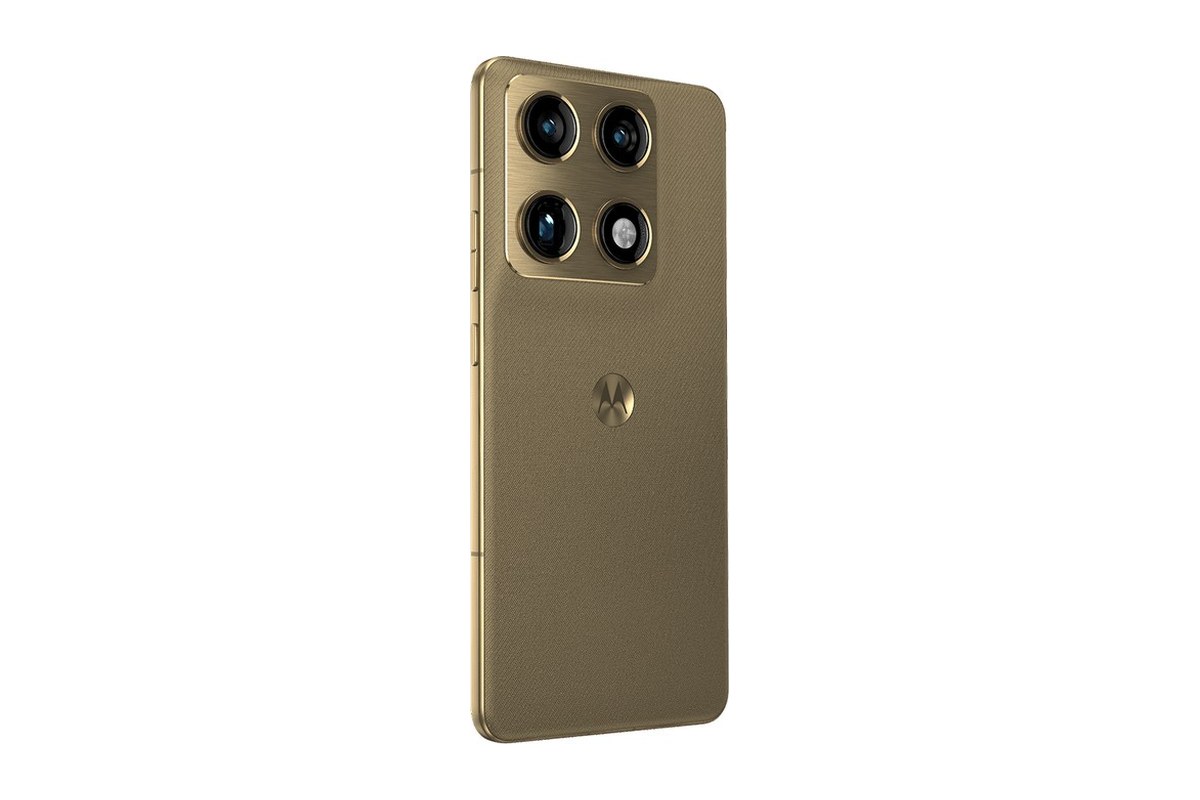
Thinking about buying the Motorola Signature in Dubai? Look at how you actually use your phone day to day, not just the badge on the box. Here is a practical look at the decisions that truly matter before you bring one home.
Who it’s for
This is a premium Android phone worth considering if you want a large screen and a distinctive finish. Make a short list of your daily priorities: clear calls, comfortable typing, photographs, navigation or entertainment. That list is more useful than a long page of impressive numbers.
Compare comfort in your hand with the appeal of a large display. A premium-looking phone still needs to suit the way you type and take photos.
Key specs
- 5G connectivity.
- 6.8-inch display.
Which storage or model should you pick?
Start by checking your current storage settings. See how much room your photos, videos, offline media, and chat backups eat up. Make sure to leave space for future files, too. Switching phones also gives you a great excuse to clear out old clutter.
Keep in mind that RAM and storage handle two separate tasks. RAM keeps apps running smoothly in the background when you switch tasks. Storage holds your photos, apps, and files. Neither number alone tells you if the camera performs well or if the phone fits comfortably in your grip.
Our simple advice
Go for the Motorola Signature only if it actually fits your daily rhythm. There is no rush if your present phone still serves you well. If you decide to shop around, verify the exact model code, SIM setup, bundled accessories, and written warranty terms before parting with your cash.
Consider your daily routine across Dubai, from navigation and video calls to streaming on mobile data. Do not assume every regional version behaves identically—confirm network support for the specific model you are eyeing. If you can handle the phone in store, test the keyboard and see if all controls stay within easy reach.
Back up your old phone before switching things over. Plan out how you will transfer contacts, chat history, and authenticator codes. Keep your current SIM and essential passwords handy throughout the switch. On your first day, this smooth setup matters far more than raw hardware specs.
Got a question about the Motorola Signature? Message Miles Telecom on WhatsApp—we are always happy to help.
Questions worth asking first
Pick up the phone yourself if you get the chance. Width and overall balance make a huge difference. The Motorola Signature should feel natural to hold, whether you are texting one-handed on the Metro or riding in a car.
Charger and cable: A lot of brands skip the charging brick these days. Check what is included in the Motorola Signature box, and verify if your current wall adapter supports its fast charging so there are no surprises on day one.
UAE version or international? A UAE model has TDRA approval for local carriers and typically includes local warranty coverage. An international variant can work fine as well, but always double-check what warranty protects your Motorola Signature before you buy.
Hold on to your old handset until all your photos, chats, and two-factor accounts are safely running on the Motorola Signature. Once everything is confirmed, perform a full factory reset before you pass it on or sell it.