
Nothing Phone (4a): Look Past Colour to Multitasking Needs
Miles Telecom ·
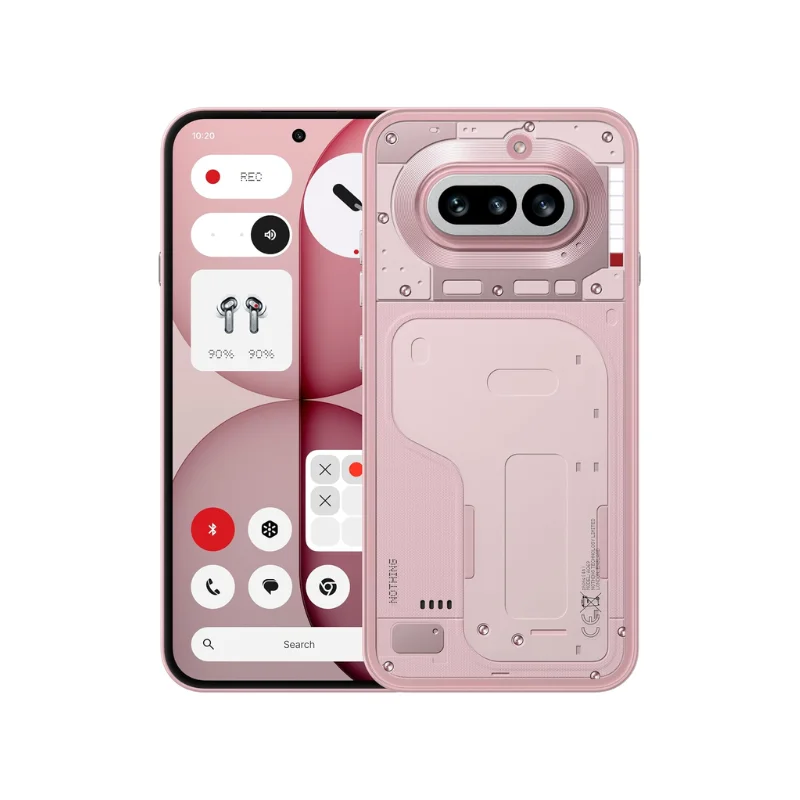
Eyeing the Nothing Phone (4a) in Dubai? Focus on your daily habits first, not just the model name. Here are the practical factors to weigh before choosing your next device.
Who it’s for
This is a design-led everyday phone worth considering if you want a distinctive design and Nothing OS. Make a short list of your daily priorities: clear calls, comfortable typing, photographs, navigation or entertainment. That list is more useful than a long page of impressive numbers.
Decide whether you need extra multitasking room rather than choosing by colour alone.
Key specs
- 6.78-inch AMOLED display with a 120Hz refresh rate.
- Snapdragon 7s Gen 4 processor.
- 50MP + 50MP + 8MP rear camera configuration.
- Android 16 with Nothing OS.
Which storage or model should you pick?
Start by opening the storage menu on your current phone. Check how much space your photos, videos, chat backups, and downloaded media actually take up. Remember to leave breathing room for upcoming files. Switching devices is also a great chance to clear out old downloads you never open.
RAM and storage handle completely different tasks. RAM keeps apps ready in the background as you jump between tasks, while storage saves your apps and files. Neither number will tell you how good the camera looks or how comfortable the Nothing Phone (4a) feels in your hand.
Our simple advice
Go with the Nothing Phone (4a) only if what it offers suits your day-to-day life. If your current device still serves you well, do not rush. When you compare versions, confirm the exact model code, SIM setup, in-box accessories, and written warranty details before paying.
Think about your regular routine in Dubai, especially time spent running maps, video chatting, and using mobile data. Regional variants can differ, so always verify network compatibility for the exact model. Try holding the Nothing Phone (4a) if you can to make sure you can reach the buttons and type comfortably.
Before you switch devices, back up everything and plan how you will move your contacts, messages, and authenticator apps. Keep your current SIM working and have your passwords ready during setup. Getting these simple steps right makes your first day far easier than any spec sheet ever could.
Have a question about the Nothing Phone (4a)? Message Miles Telecom on WhatsApp and we will gladly help.
Picking the right setup
Start with how you really use your phone. If most of your day is chats, maps and photos, the Nothing Phone (4a) needs good battery life more than extra power. Think about your last phone too: what annoyed you about it? That is the thing to fix this time.
UAE version or international? A UAE version is approved by TDRA for local networks and usually comes with local warranty support. An international version can work well too, but check which warranty applies to the Nothing Phone (4a) before you pay.
Storage: photos, videos, and WhatsApp media pile up faster than expected. If you plan to hold onto the Nothing Phone (4a) for three years or longer, pick more storage than you need right now, since you may not be able to add a memory card later.
Summer heat in the UAE is hard on batteries. Avoid leaving the Nothing Phone (4a) on a car dashboard, and avoid gaming while it charges. Your battery will thank you in a year or two.