
Nothing Phone (4b) Is Not a Phone (4a) by Another Name
Miles Telecom ·
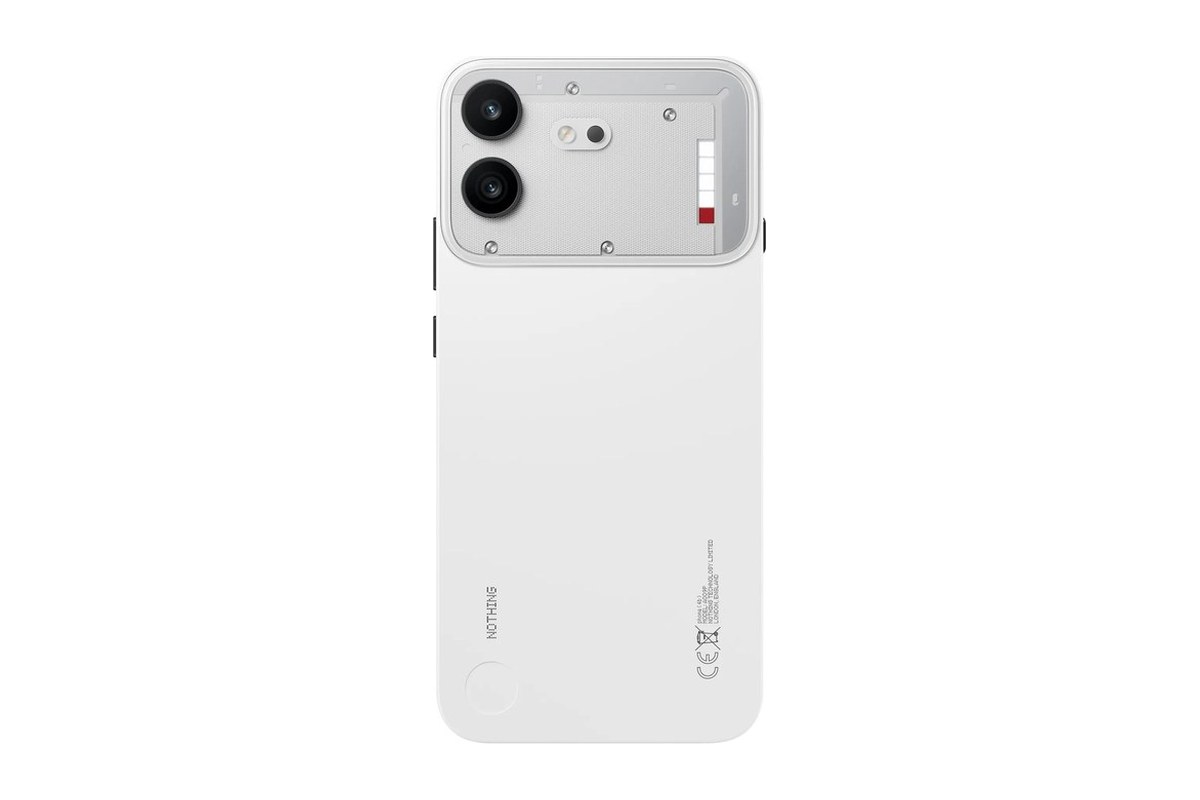
Thinking about the Nothing Phone (4b) in Dubai? Start with your everyday habits, not just the name on the box. This guide walks through the details that genuinely matter before you pick your next device.
Who it’s for
This is a everyday Android phone worth considering if you want a straightforward phone for daily apps. Make a short list of your daily priorities: clear calls, comfortable typing, photographs, navigation or entertainment. That list is more useful than a long page of impressive numbers.
Do not assume this model shares the same cameras, materials or charging equipment as the Phone (4a). Check the exact regional specification before making a choice.
Key specs
- Snapdragon 6 Gen 4 processor.
- 120Hz display.
- 50MP main rear camera.
Which storage or model should you pick?
Check the storage menu on your current phone first. Look at how much room your photos, videos, chat backups, and downloaded media take up. Leave plenty of breathing room for future files, too. Switching phones is also a great chance to clear out downloads you no longer need.
Extra RAM and extra storage tackle two completely different jobs. RAM keeps apps active in the background when you multitask. Storage holds your installed apps, photos, and files. Neither number alone reveals how great the cameras are or how comfortable the phone feels in your palm.
Our simple advice
Go with the Nothing Phone (4b) only if its strengths match your day-to-day life. If your current phone still works fine, there is no need to rush. When checking different options, confirm the exact model code, SIM setup, in-box accessories, and written warranty terms before buying.
For daily life in Dubai, consider how often you rely on navigation, video calls, and mobile data. Always verify network compatibility for your specific model rather than assuming every regional version is identical. If you can test the device beforehand, try typing on it and see if your fingers reach the buttons comfortably.
Back up your old phone before you switch. Figure out ahead of time how you will move your contacts, messages, and two-factor authentication apps. Keep your active SIM nearby and have your passwords ready during setup. Smooth preparation matters far more on day one than any single spec.
Got a question about the Nothing Phone (4b)? Message Miles Telecom on WhatsApp and we will gladly help.
Before you decide
Hold the phone in your hand if you can. Weight and width matter more than people expect, and the Nothing Phone (4b) should feel comfortable for one-handed texting on the Metro or in the car.
Charger and cable: Many brands leave the charging plug out of the box now. Check what comes with the Nothing Phone (4b) and make sure your current charger works with its fast charging, so there are no surprises on day one.
UAE version or international? A UAE unit is TDRA-approved for local networks and typically carries local warranty support. An international version can work well too, but always confirm the exact warranty coverage for the Nothing Phone (4b) before you pay.
When you move from an old phone, keep the old one until your chats, photos and two-factor apps are moved across to the Nothing Phone (4b). Then reset the old phone fully before you sell or give it away.