
Nothing Phone (4a) Pro: Is the Screen or Camera Your Reason?
Miles Telecom ·
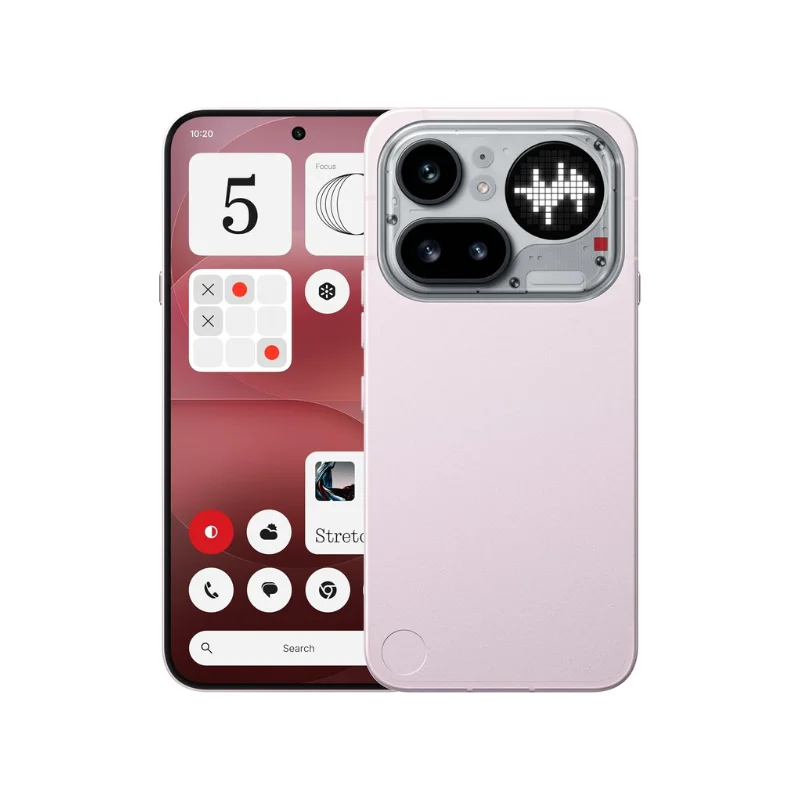
Thinking of buying the Nothing Phone (4a) Pro in Dubai? Focus on how you actually use your phone day to day, not just the name on the box. This guide covers the key choices to make before deciding on a new device.
Who it’s for
This is a design-led Android phone worth considering if you want a larger screen and a different camera experience. Make a short list of your daily priorities: clear calls, comfortable typing, photographs, navigation or entertainment. That list is more useful than a long page of impressive numbers.
Compare the Pro with the regular Phone (4a) around screen comfort and camera use, not just the Pro name.
Key specs
- 6.8-inch AMOLED display with a 144Hz refresh rate.
- Snapdragon 7 Gen 4 processor.
- Nothing OS and a Glyph lighting interface.
Which storage or model should you pick?
Start by checking the storage settings on your current phone. See how much room your photos, videos, downloads, and chat backups take up. Make sure you leave extra space for the future, too. Switching devices is also the perfect time to clear out old downloads.
RAM and storage handle two totally different jobs. RAM keeps apps running smoothly in the background while you multitask. Storage gives you space for apps and files. Neither number tells you how good the camera is, or if the phone feels right in your grip.
Our simple advice
Pick the Nothing Phone (4a) Pro only if it fits your daily routine. No need to rush if your current handset still works well for you. Before you pay, check the exact model code, SIM setup, what comes in the box, and the written warranty terms.
If you are using it in Dubai, consider how much time you spend on maps, video chats, and mobile data. Double-check network compatibility for that specific model instead of assuming every regional version is the same. Try typing on the keyboard first, if you can, to make sure the controls are easy to reach.
Back up your old phone before making the switch. Know how you will move your contacts, messages, and authenticator apps. Keep your current SIM handy and remember your account passwords while switching over. Getting these basics sorted matters far more on day one than any headline spec.
Have questions about this phone? Send Miles Telecom a message on WhatsApp, and we will be happy to help.
Living with it day to day
List your top three priorities—like camera performance, battery life, or size. Then check how the Nothing Phone (4a) Pro measures up to them. Making a choice is a lot easier when you do not worry about every tiny detail.
Storage: Photos, videos, and WhatsApp media add up faster than you expect. If you plan to keep your phone for three years or longer, get more storage than you currently need. You might not be able to pop a memory card into the Nothing Phone (4a) Pro later.
Charger and cable: Many brands do not include a charger in the box anymore. Check what is included with the Nothing Phone (4a) Pro. It pays to know if your current plug supports its fast charging before day one arrives.
As soon as you unbox it, enable automatic backups, put on a case and screen protector, and update the software before installing apps. Simple steps like these help keep the Nothing Phone (4a) Pro running smoothly for the long haul.